¶ Refunding Transactions
How to refund a complete order or individual products from a previous transaction.
Manager approval required
You will need your manager's approval to process refunds on a terminal.
¶ Choose your refund type
- Whole order — refund an entire previous transaction from the current session
- Individual products — refund specific items only, without refunding the full order
¶ How to Refund a Whole Order
1: Select the white basket box on the left.
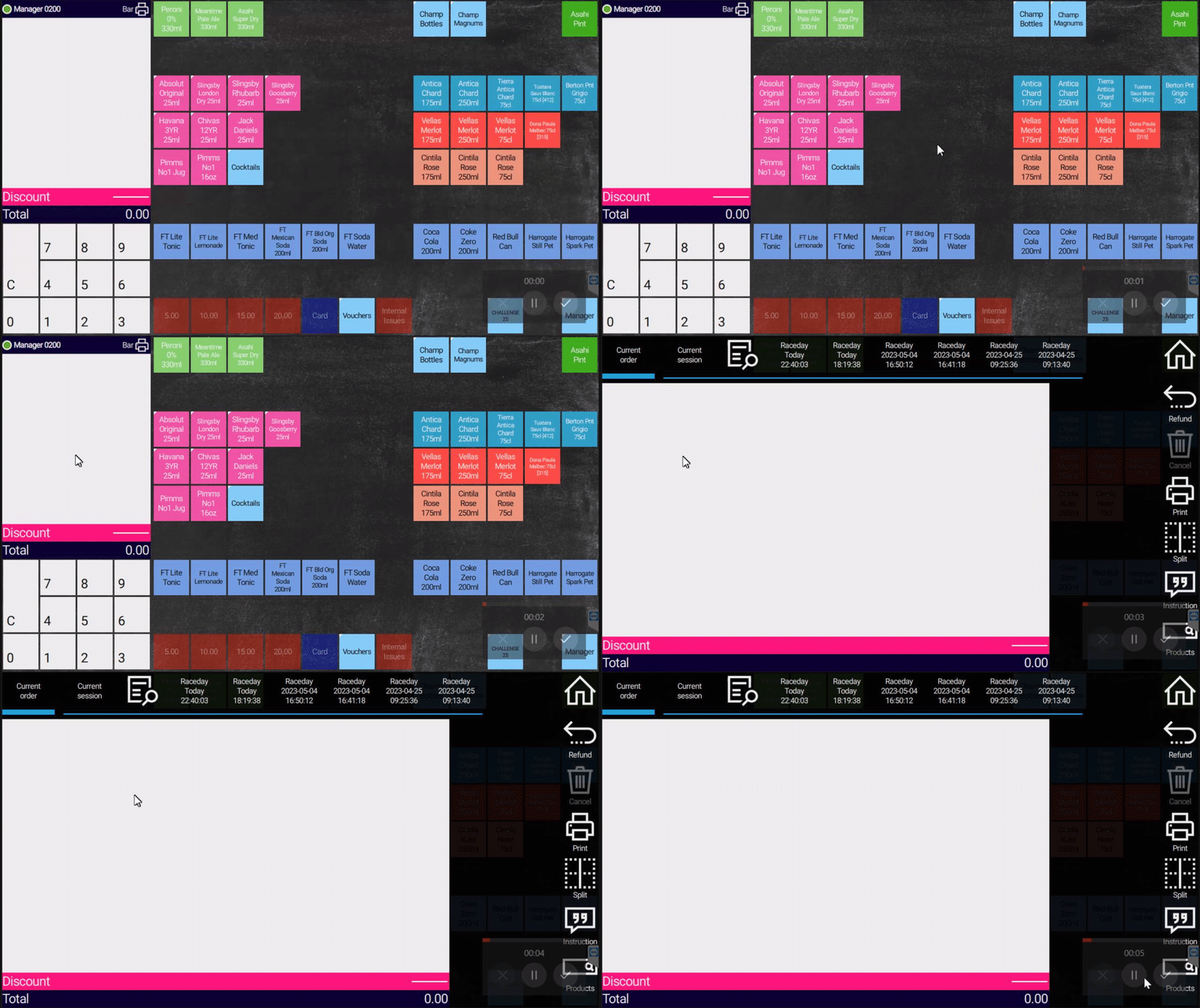
2: Select Current Session.3: Select the order you want to refund.
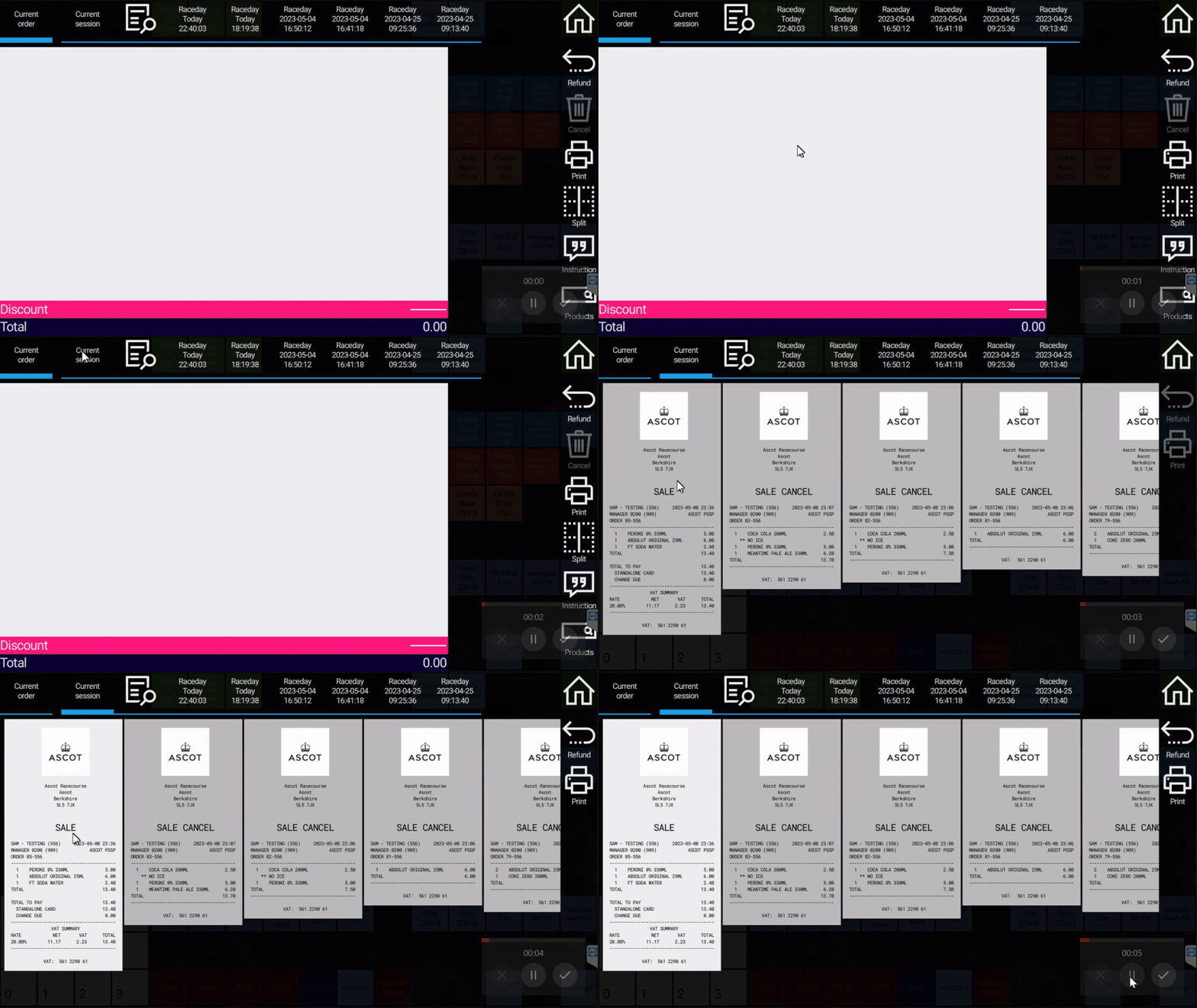
4: Select Refund on the right and confirm.
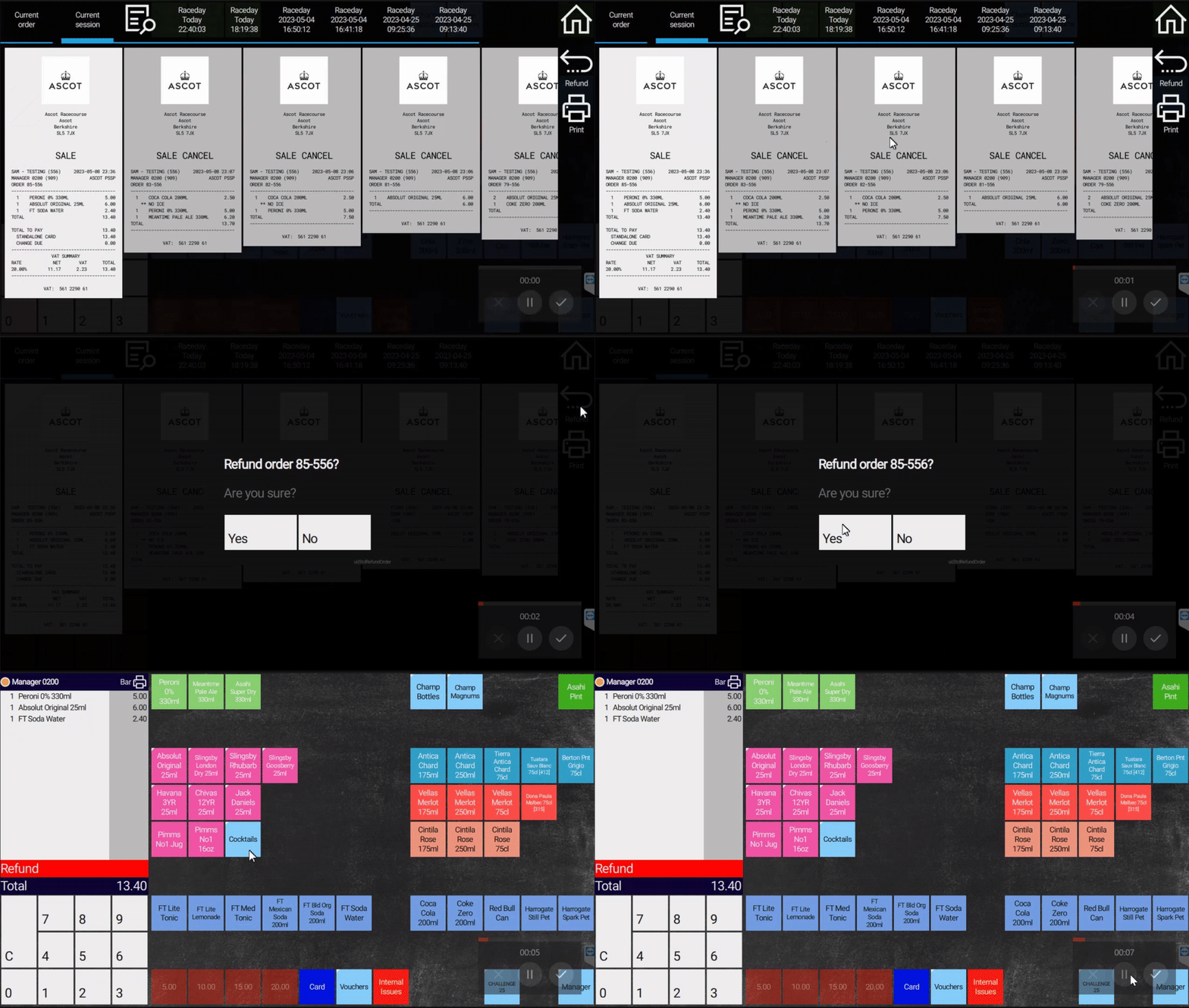
5: Select the tender used for the original payment and follow the on-screen instructions.
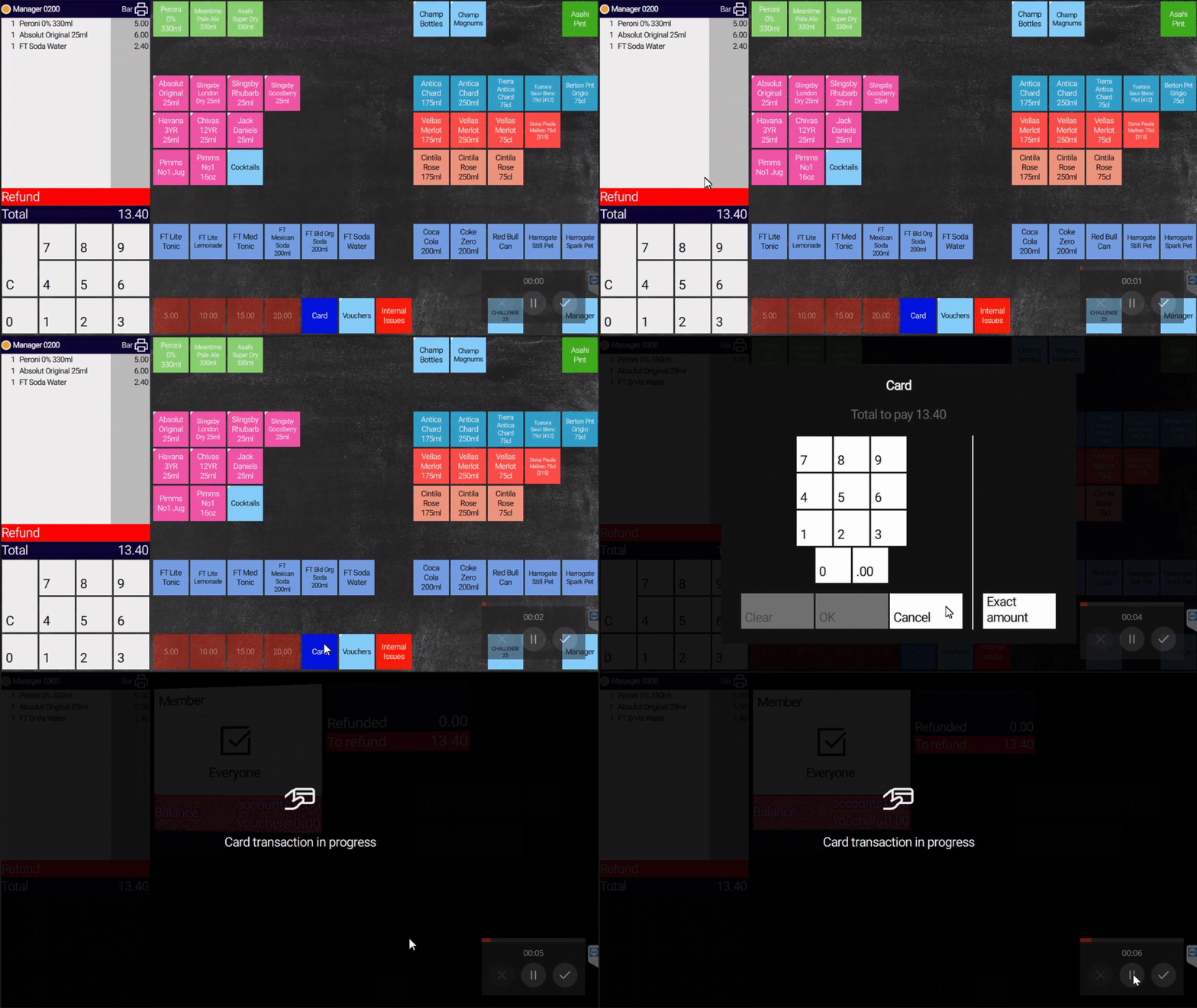
6: The transaction is refunded and you are returned to the Sales screen.
¶ How to Refund Individual Products
1: Select the white basket box on the left.
2: Select Refund on the right.
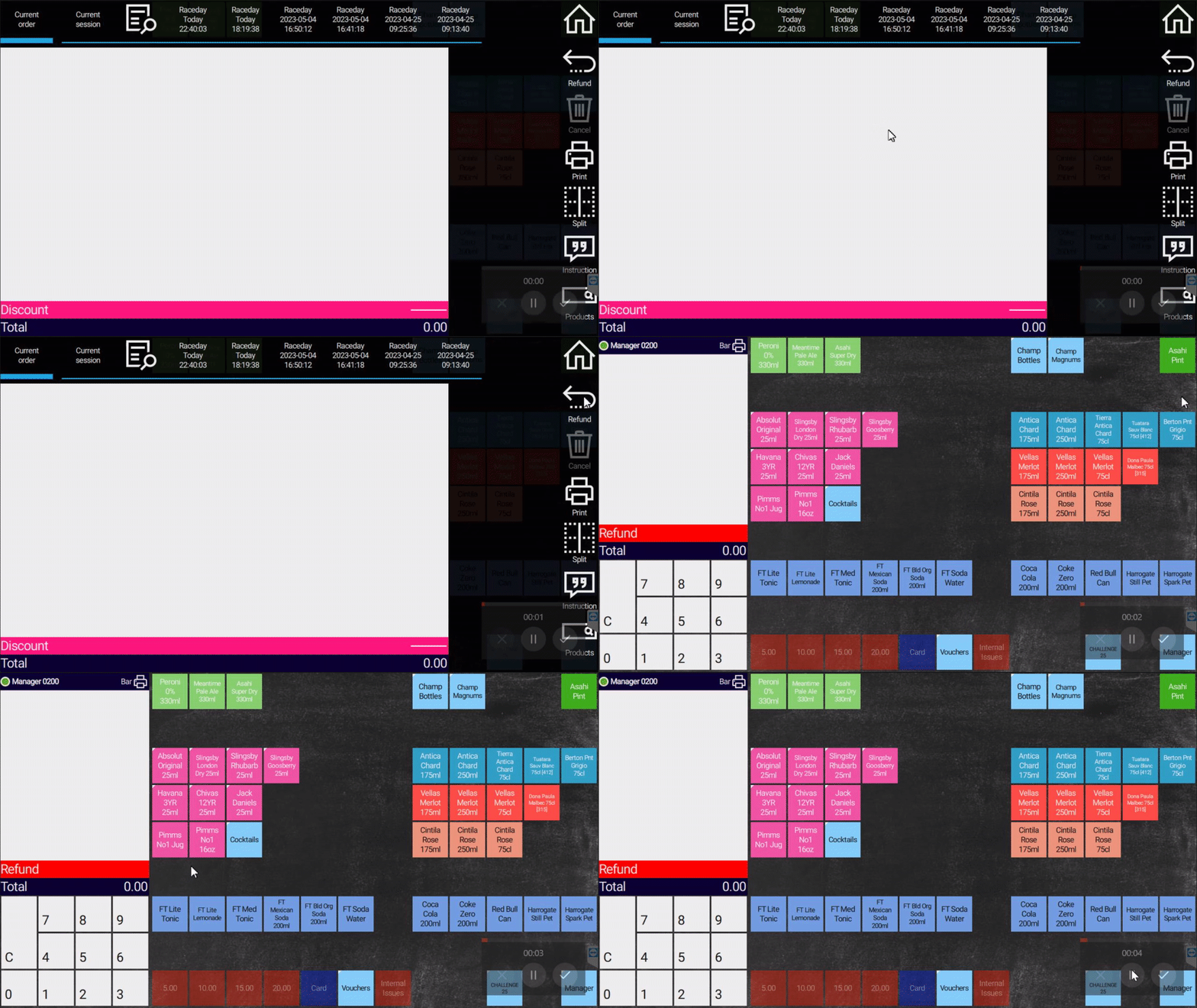
3: The red bar at the bottom of the basket confirms you are in refund mode.4: Add all products you want to refund to the basket.
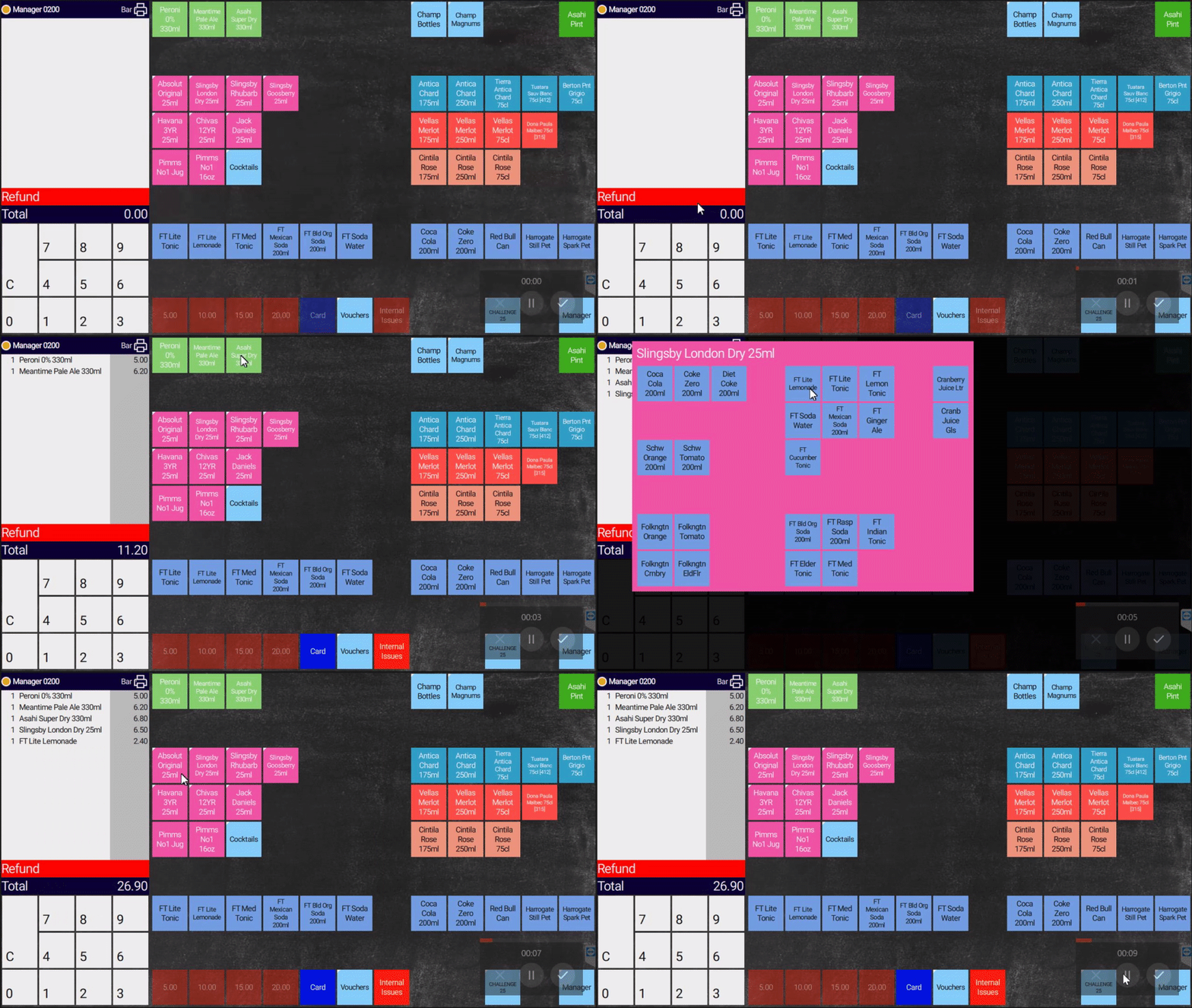
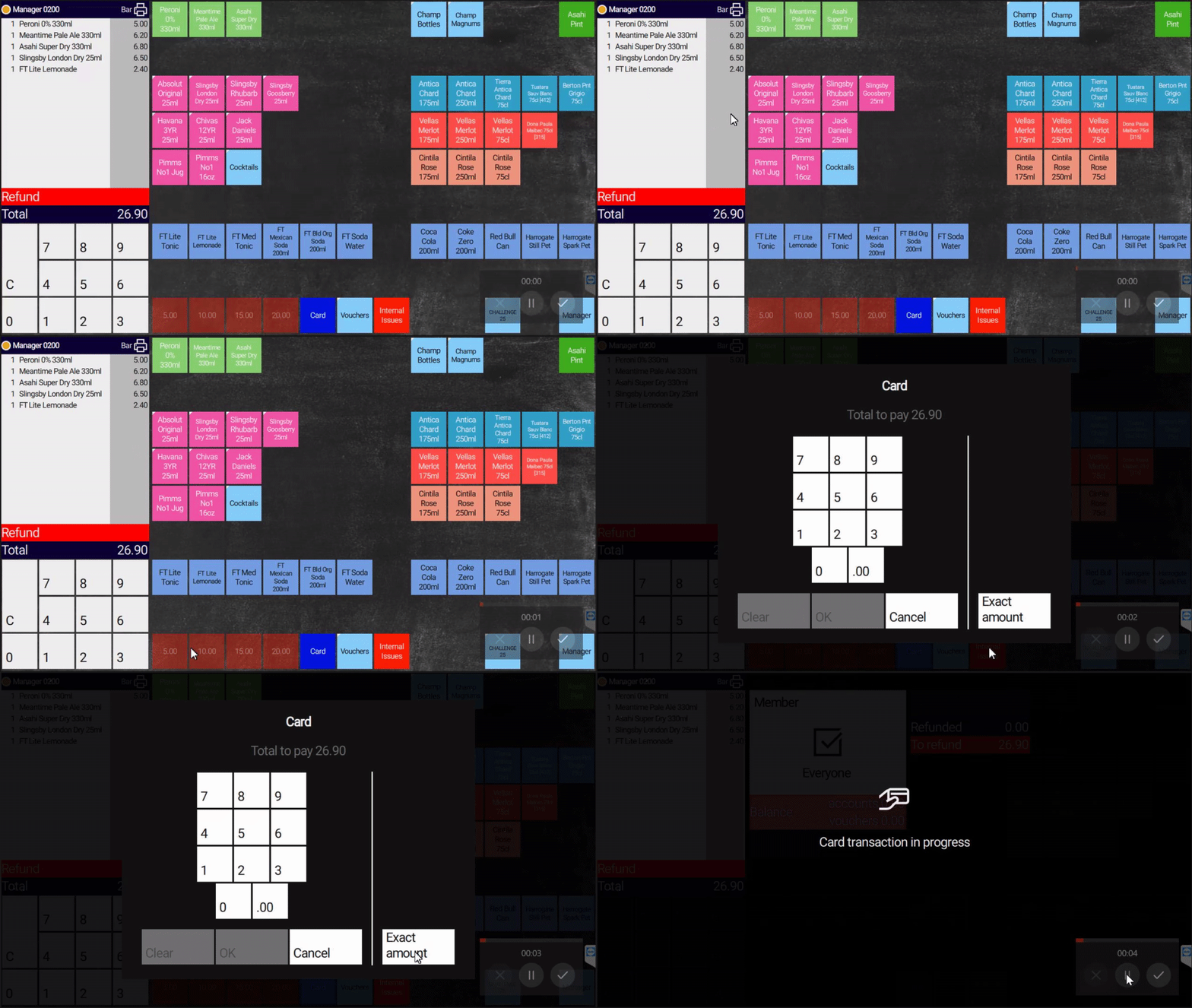
5: Select the tender used for the original payment and follow the on-screen instructions.
¶ Troubleshooting
| Problem | What to do |
|---|---|
| Cannot find the order | Check you selected Current Session — older orders may not be available |
| Refund option greyed out | Ask your manager for approval before continuing |
| Wrong tender selected | Cancel and restart — refund must go back via the original payment method |
| Red refund bar not showing | Select Refund again from the right-hand menu |
| Refund fails on card | Follow PDQ prompts; contact EPOS Support on Channel 10 if the card machine errors |
¶ Need help?
Contact EPOS Support on Channel 10 if a refund will not complete. State your unit name clearly.