¶ Fix-it Cards
How to use Fix-it Cards to authorize sales on the company account.
¶ What are they?
Swipe cards used by management to authorize the sale of products on the company account.
Fix-it Cards are for authorized company account sales only. Speak to your manager if you are unsure whether a sale qualifies.
¶ How to Add Products to a Fix-it Card

1: Add the required products to the basket.
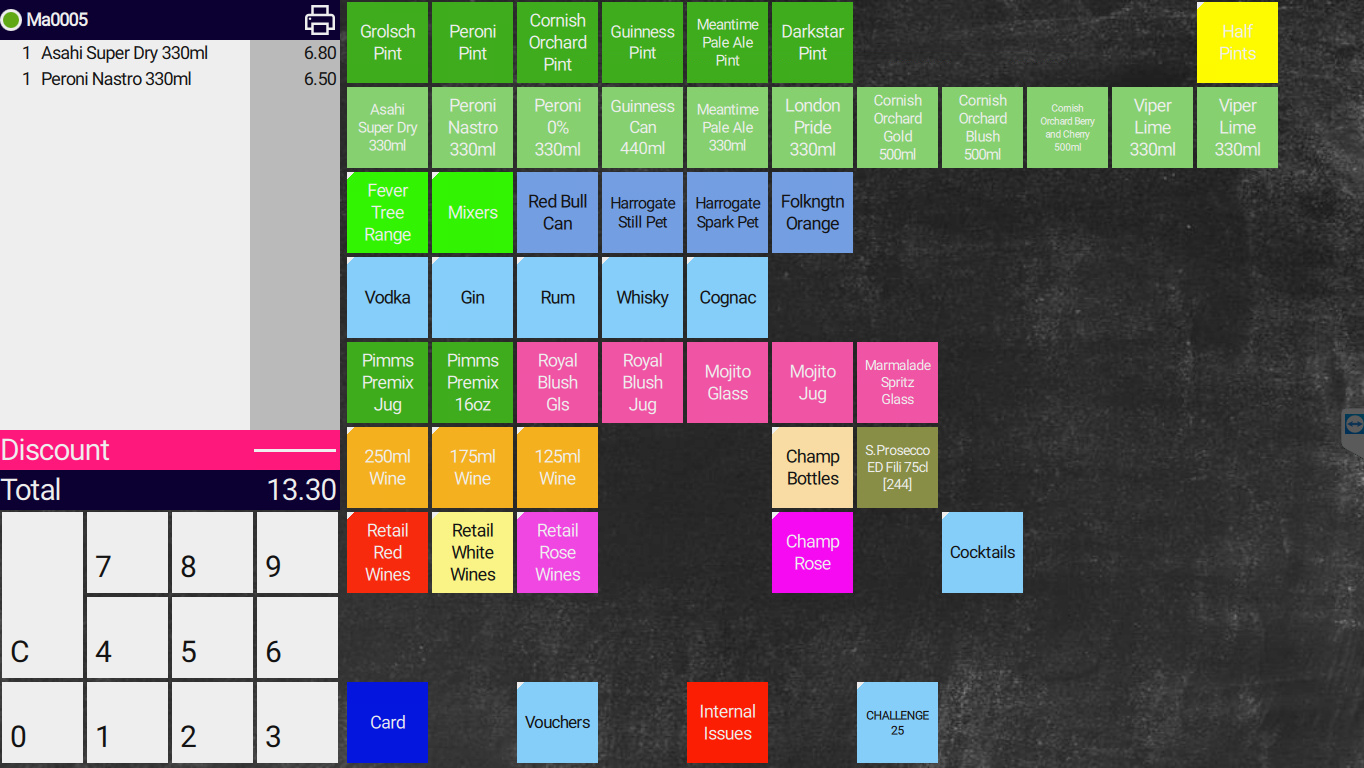
2: Select the grey bar in the basket to open the member page.
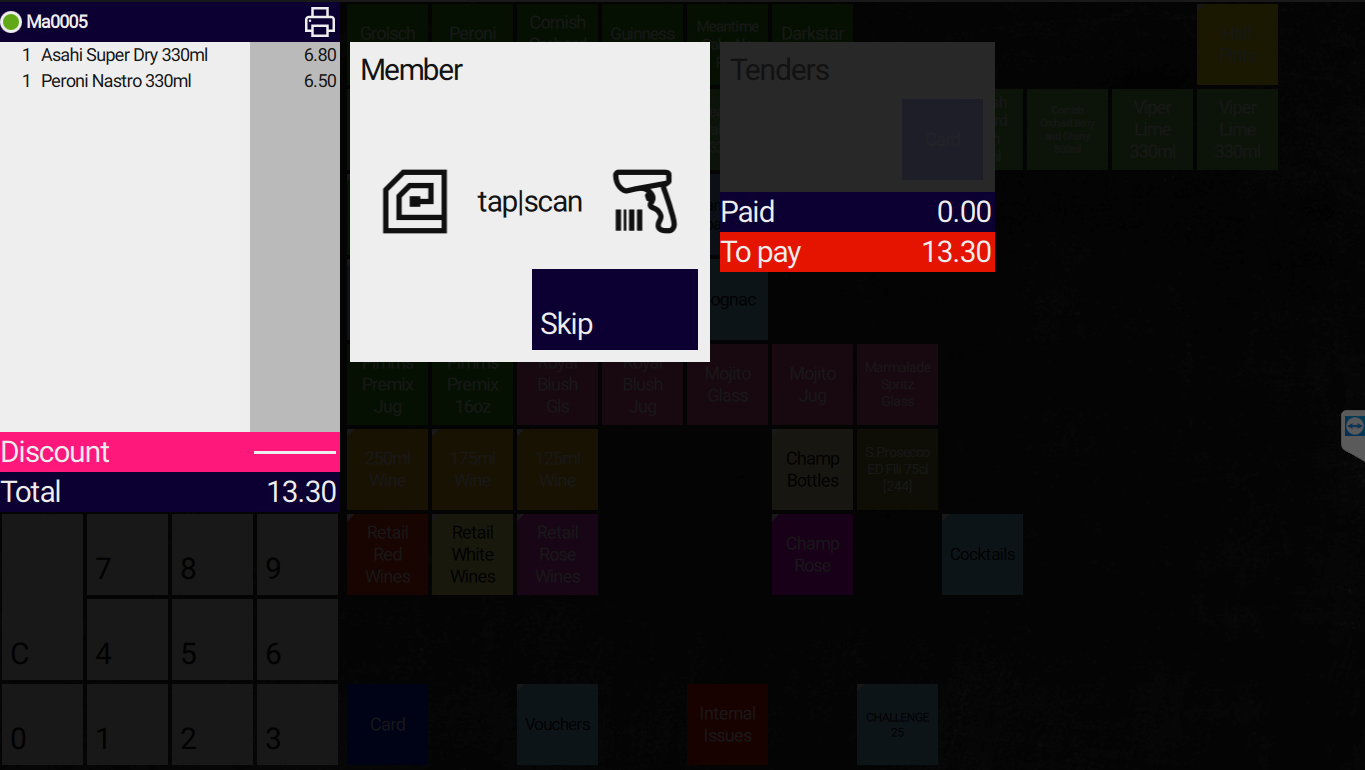
3: Swipe the Fix-it card on the reader to the right of the till.4: Select the Fix-it Card tender option.5: The system adds the products to the Fix-it card account and clears the basket.
¶ Need help?
Contact EPOS Support on Channel 10 if the card will not swipe or the Fix-it Card tender is not available. State your unit name clearly.