¶ Recording Wastage Via the Terminal
How to record waste during service using the wastage function on the till.

¶ Wastage Function
The wastage function records any waste that occurs during service.
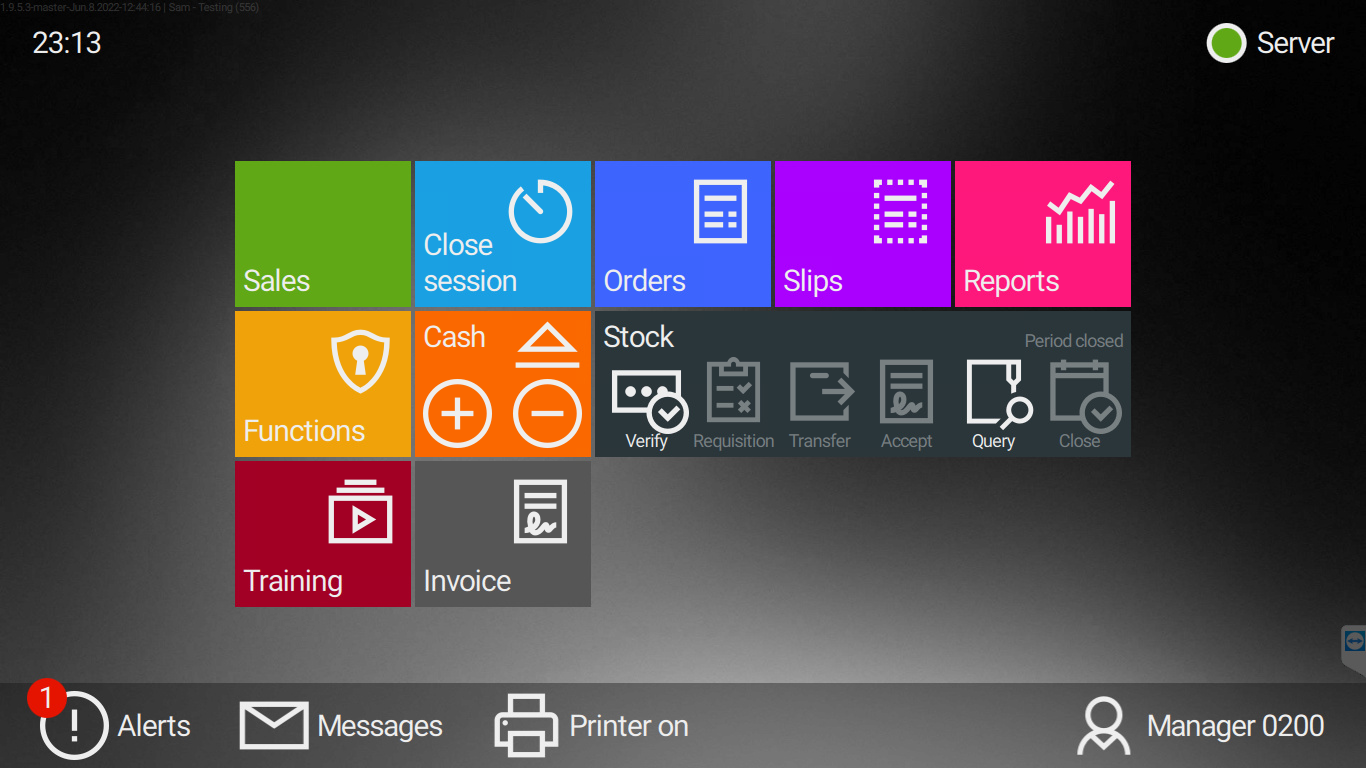
1: Return to the Home Screen by selecting the strip above the basket.

2: Select the Functions tab.
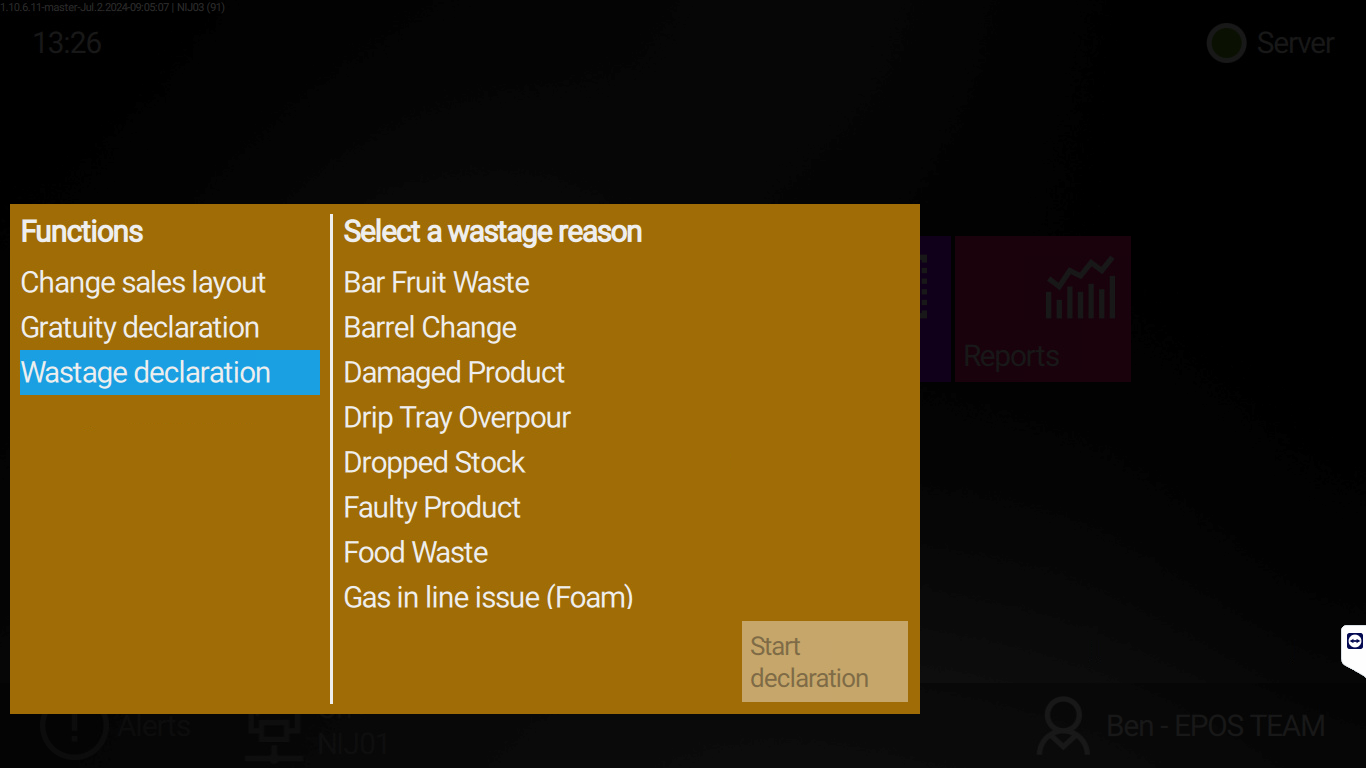
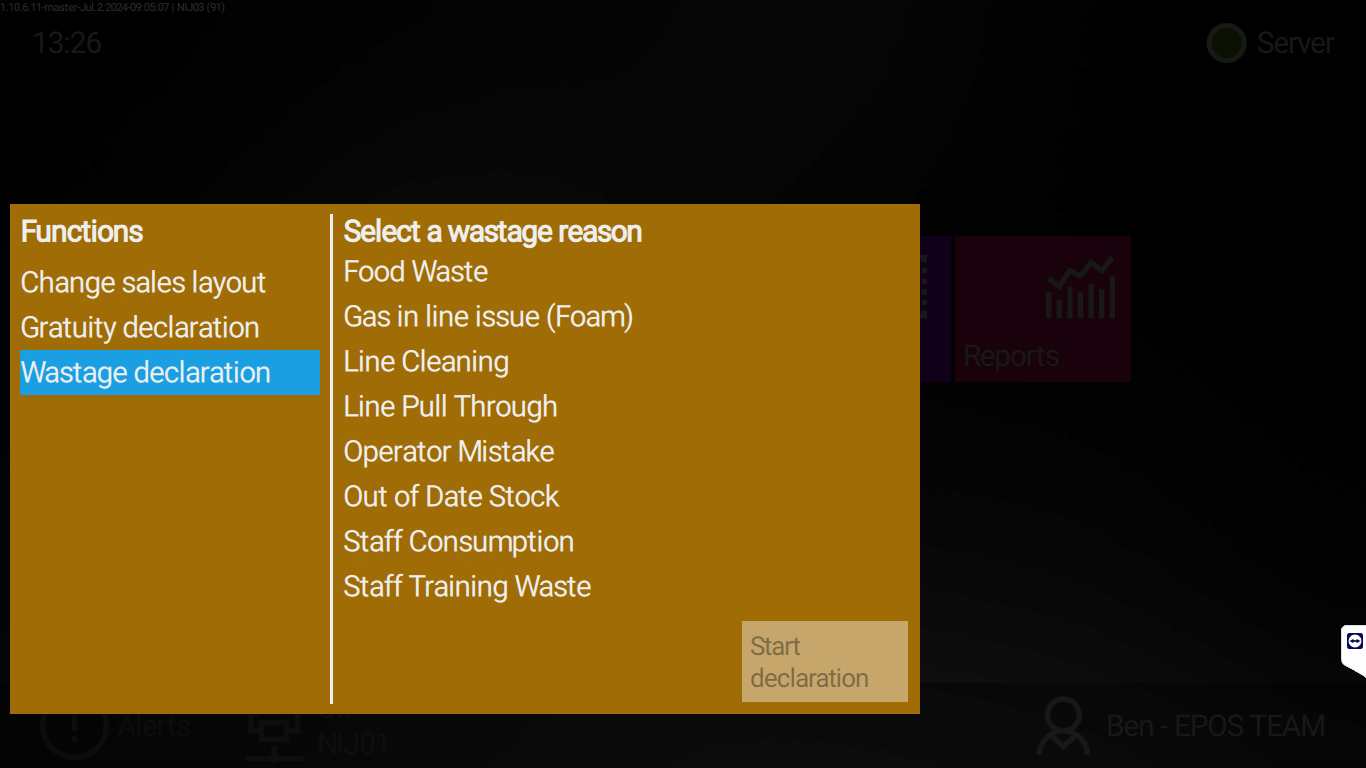
3: Select Wastage Declaration.3.1: Select the corresponding wastage reason.3.2: See the guide at the bottom of this page for wastage reason explanations.
4: The sales screen displays in Waste mode.5: Confirm Waste mode is active — Waste is shown below the basket.
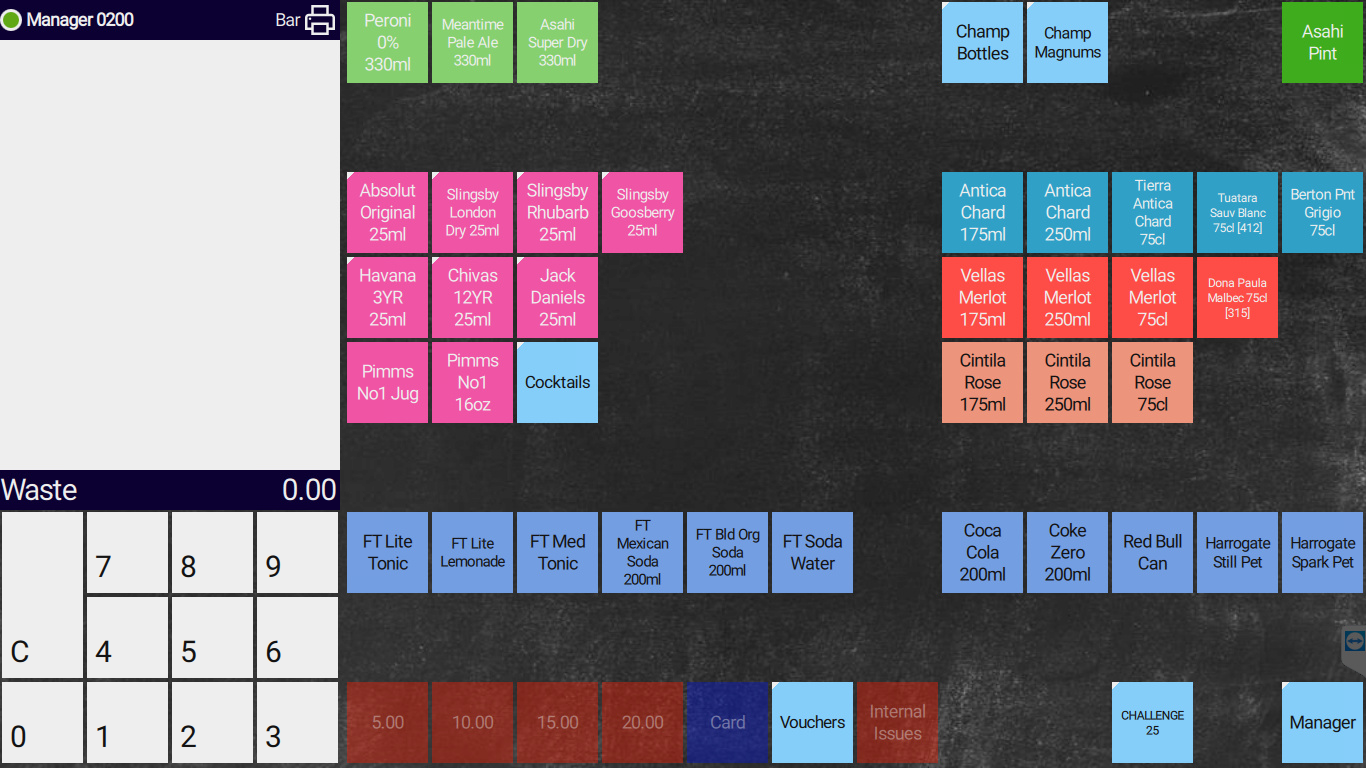
6: Enter the products into the basket that need to be recorded as wastage.
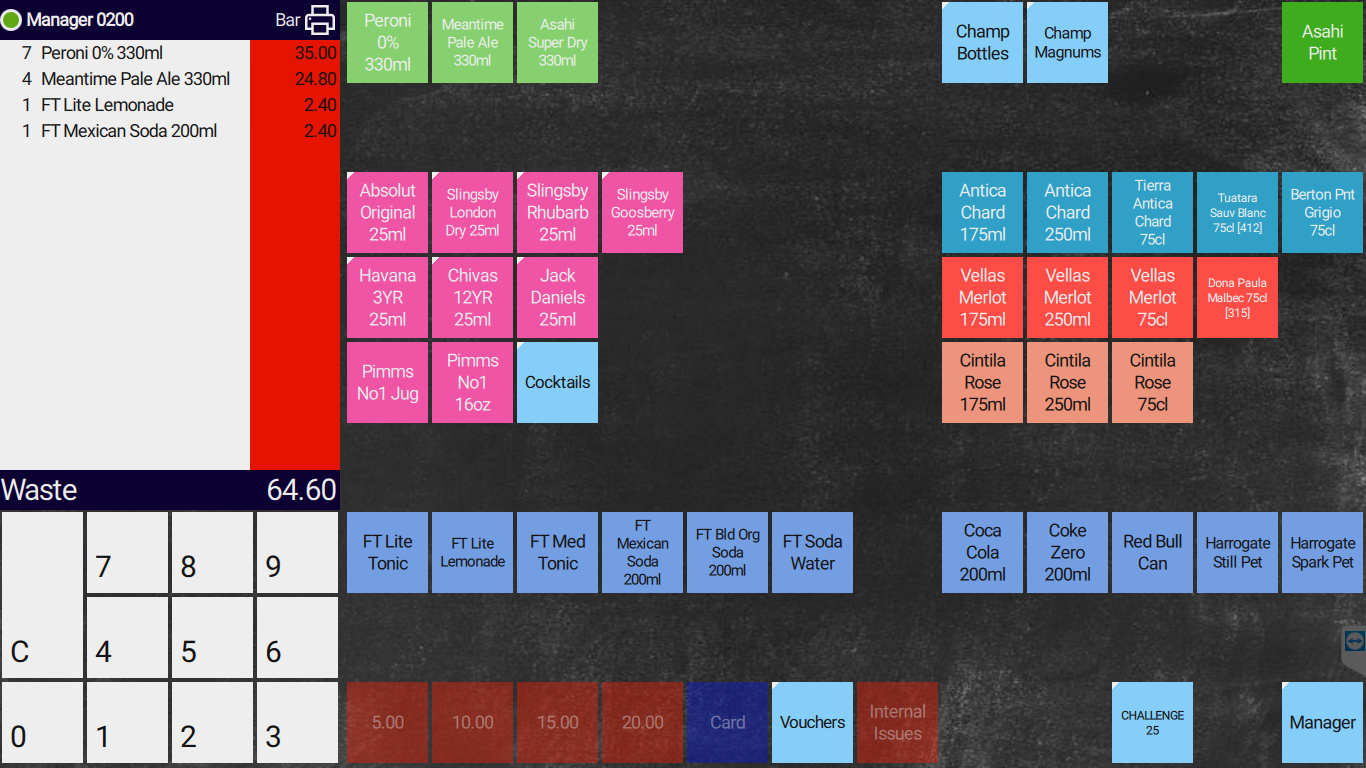
7: Once all products have been entered, select the red strip in the basket to record them as wastage.
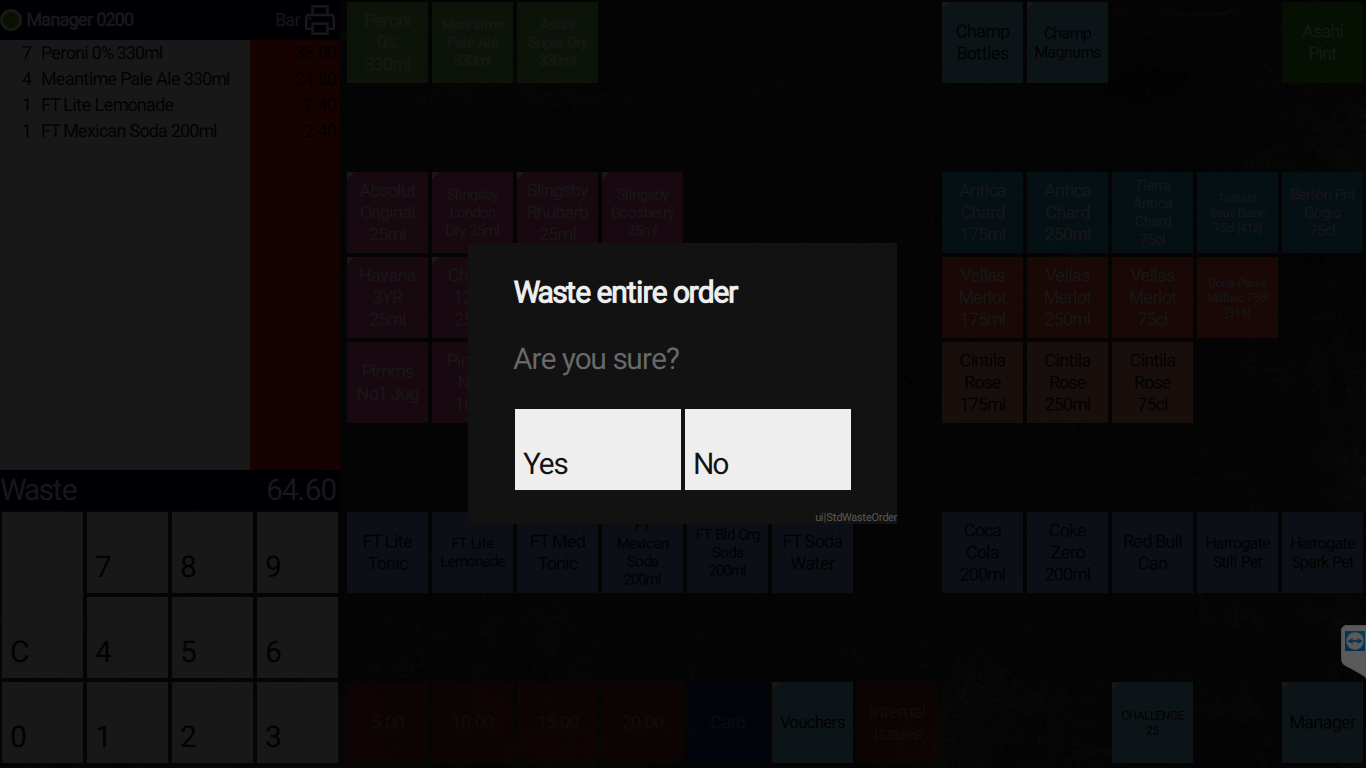
8: You are returned to the Home Screen once confirmed.
¶ Remove Products From the Basket if Added by Mistake
You cannot remove products once they are in the wastage basket.
Return to the Home Screen by selecting the strip above the basket and restart the wastage declaration from step 1.
¶ Wastage Reason Explanations
- Bar fruit waste — Any wasted fruit at end of day.
- Barrel change — Wastage due to changing barrels.
- Damaged product — Product received damaged, or stock already in the bar that is damaged.
- Drip tray overpour — Total waste from drip trays.
- Dropped stock — Stock dropped and therefore unsellable.
- Faulty product — Product that cannot be sold due to defects.
- Food waste — Food not sold, past its expiration date, or made by mistake.
- Gas in line (foam) — Total foam excess from bar pumps.
- Line cleaning — Stock pulled through after a line cleaning.
- Line pull through — Product pulled through the line to clear or complete a line pull-through.
- Operator mistake — Stock wasted due to operator error.
- Out of date stock — Stock that is out of date.
- Staff consumption — Stock or product consumed by staff, with or without permission.
- Staff training waste — Stock used while training staff.
¶ Need help?
Contact EPOS Support on Channel 10 if you cannot find the wastage function or the wrong reason is listed. State your unit name clearly.