¶ Instructions & Notes
¶ Adding Notes to Products
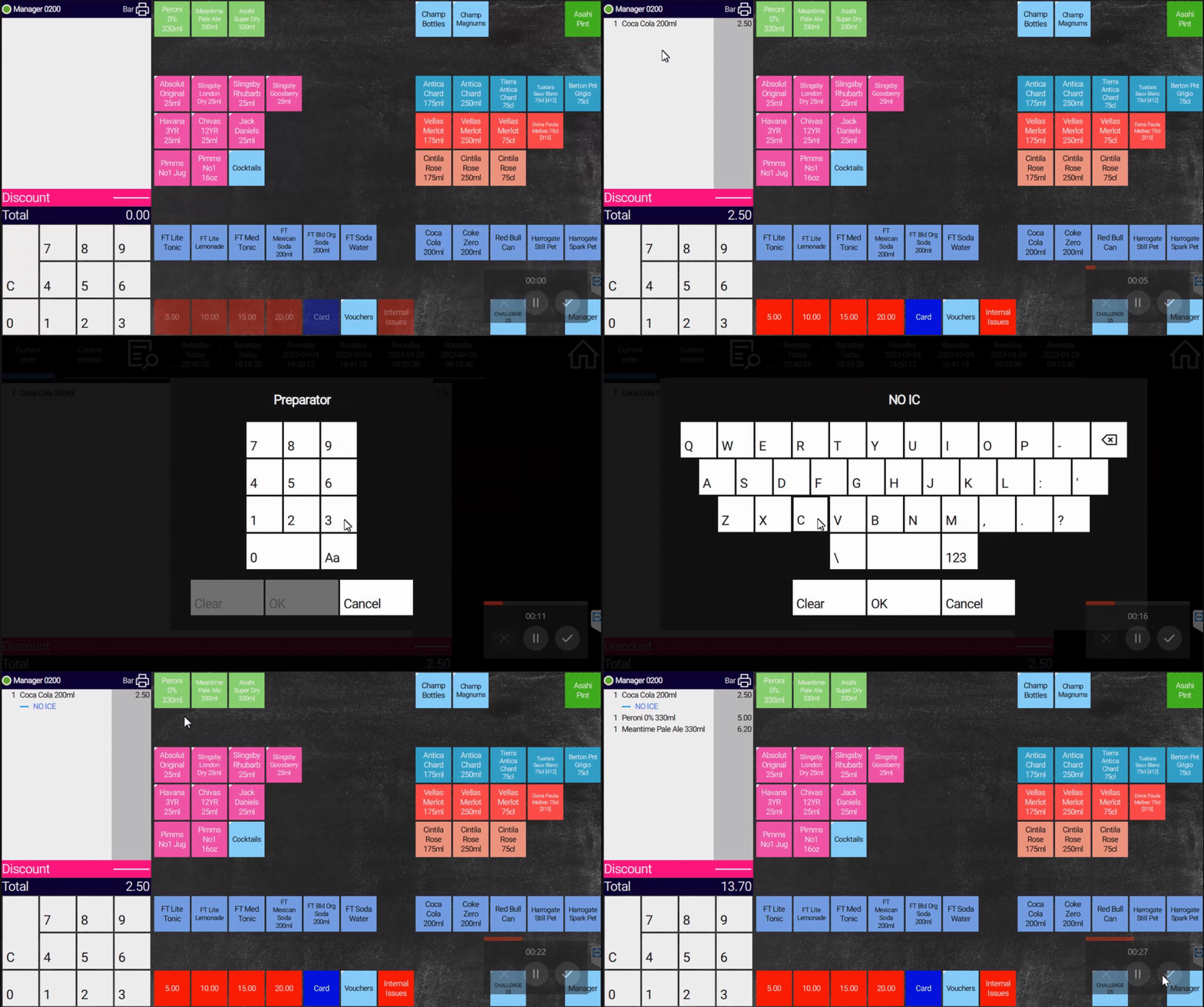
Notes can be added to any product when ordering, these notes will be printed out on the KITCHEN printer and displayed on a Kitchen Management Screen.
Notes can be used to give instructions to the bar or kitchen on how to prepare the products for customers.
1: Add Products to your basket2: Select the white basket box on the left3: Select the products4: Select the "Quote" icon to bring up the keyboard5: Input the note and press close once done6: Return to the sales screen to continue the transaction