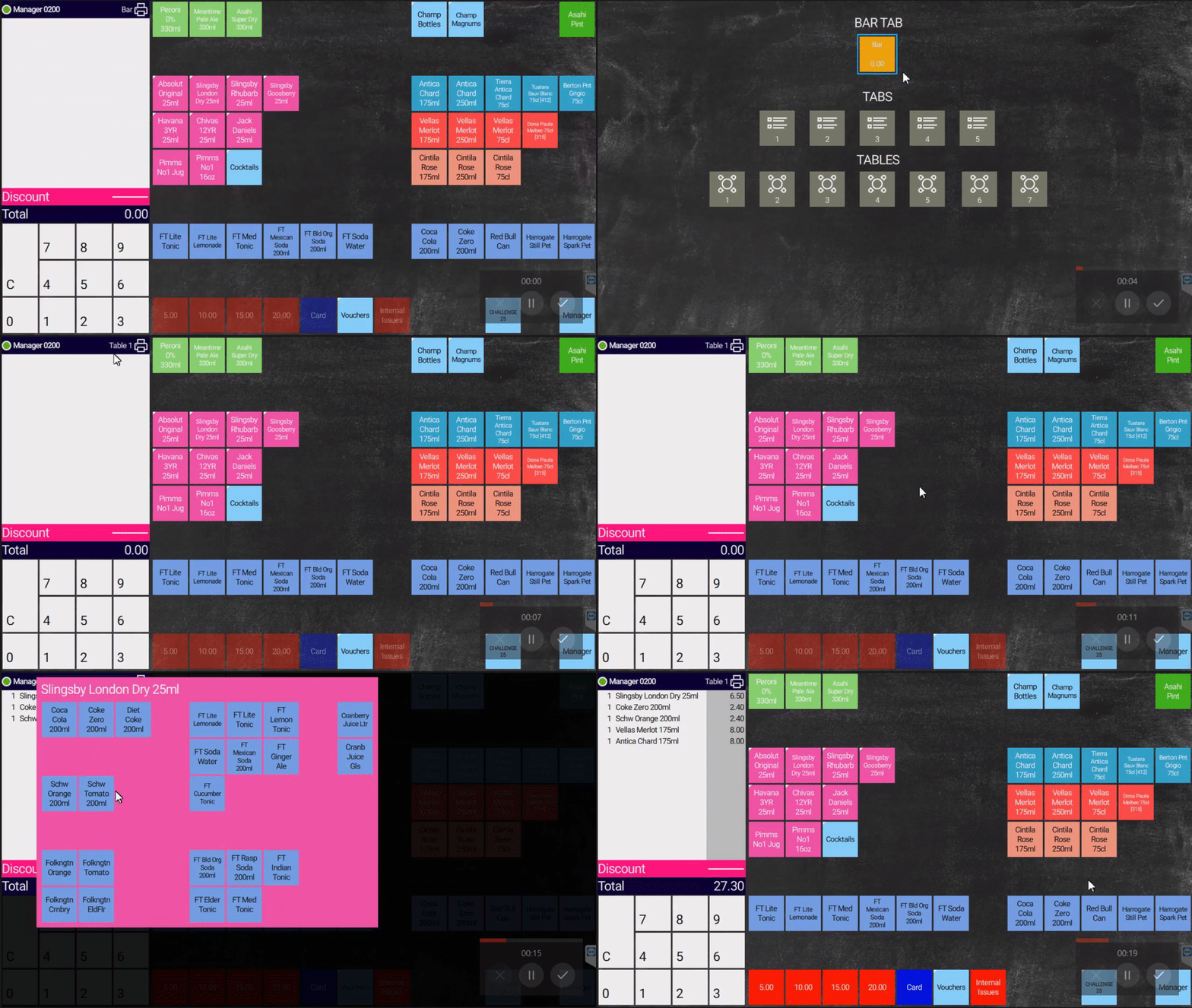
1 : On the sales screen, swipe the screen from right to left to display the floor plan2 : Select the table you wish to open3 : If Prompted enter number of covers for this table4 : If Prompted enter a name for the table5 : You can check the table information above the basket6 : Add products to the table
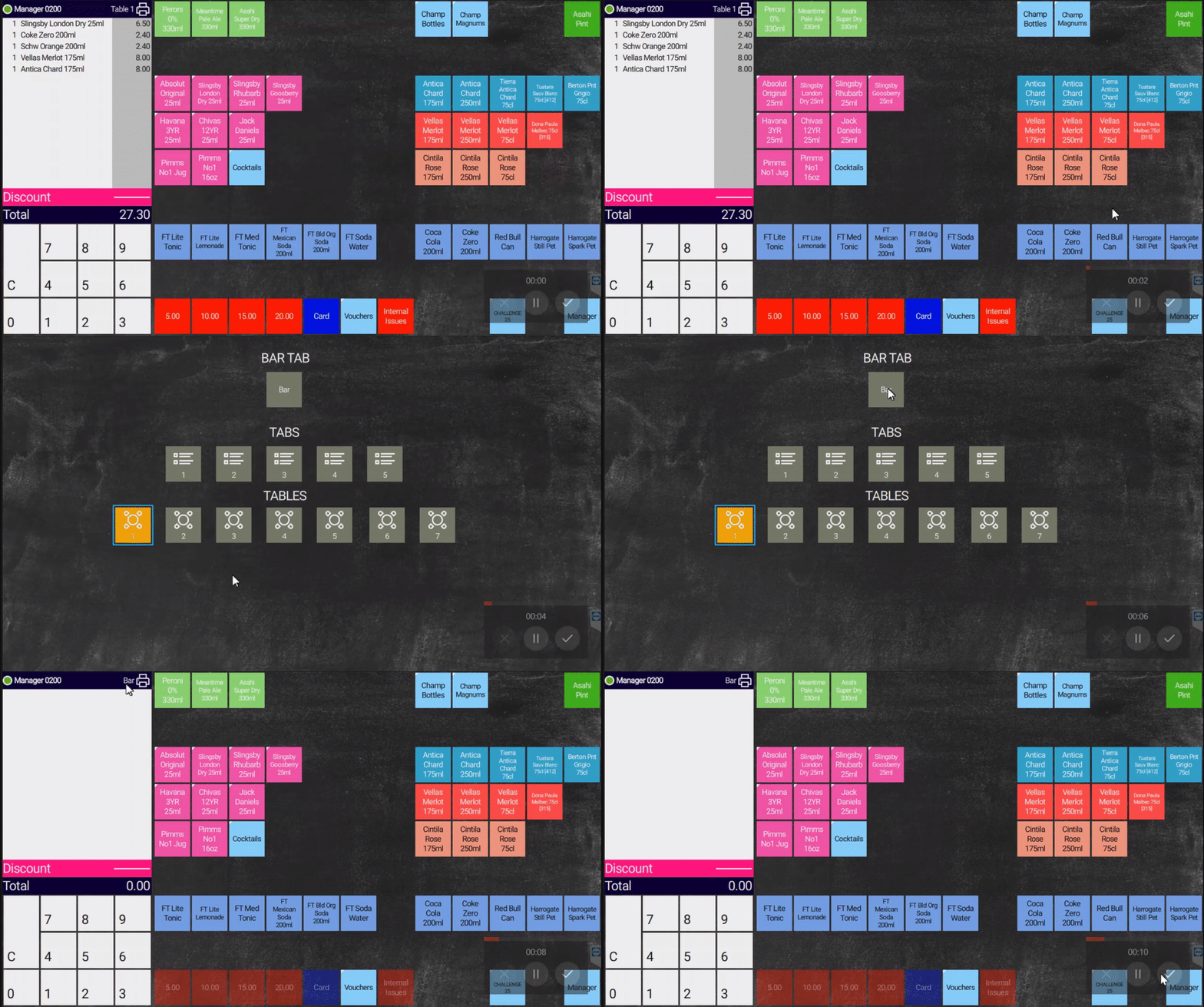
1 : On the sales screen, swipe the screen from right to left to display the floor plan2 : Select the "BAR" table3 : This will save the order and close the table3.1 : Orders will not be sent to the KITCHEN printers unless the table has been closed
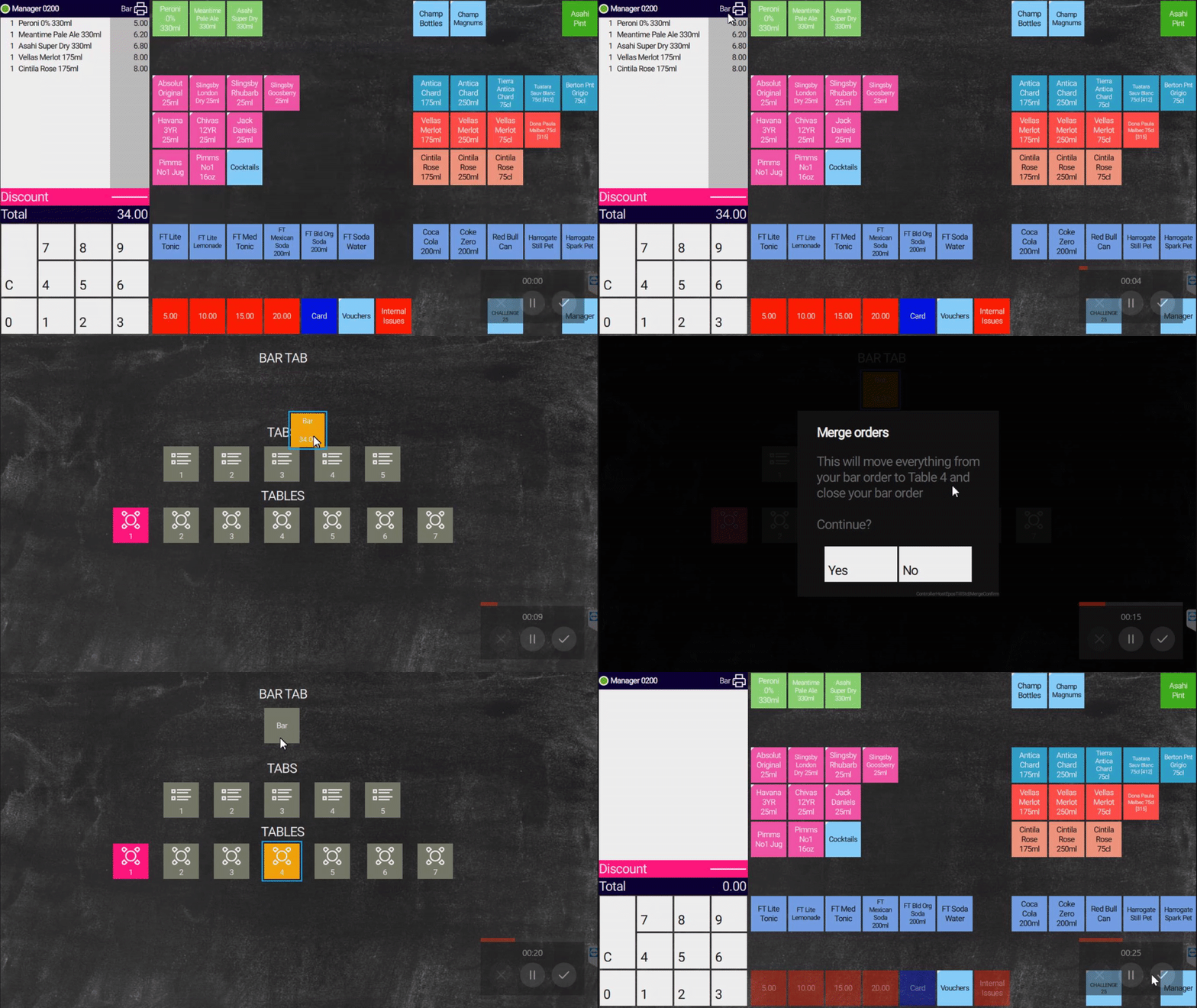
1 : On the sales screen, swipe the screen from right to left to display the floor plan2 : Select and drag the "BAR" table to the table you require3 : You will be prompted for confirmation4 : Once confirmed, the order will be moved to the table