¶ Till Troubleshooting FAQ
This is a simple FAQ on troubleshooting issues, not a guide for you to fix things yourself
Always Contact EPOS Support on Channel 10 if you are experiancing any issues!
NO USB DEVICES / PHONE CHARGERS / USB CABLES ARE TO BE PLUGGED INTO THE TERMINALS
The EPOS Team will confiscate any devices / cables connected as a security precaution
¶ No Session Available
You are unable to fix this.
Contact EPOS Support on Radio Channel 10
¶ Products Are Missing
Make sure you are on the correct Sales Layout
Contact EPOS Support on Radio Channel 10
¶ Table Layout is Missing
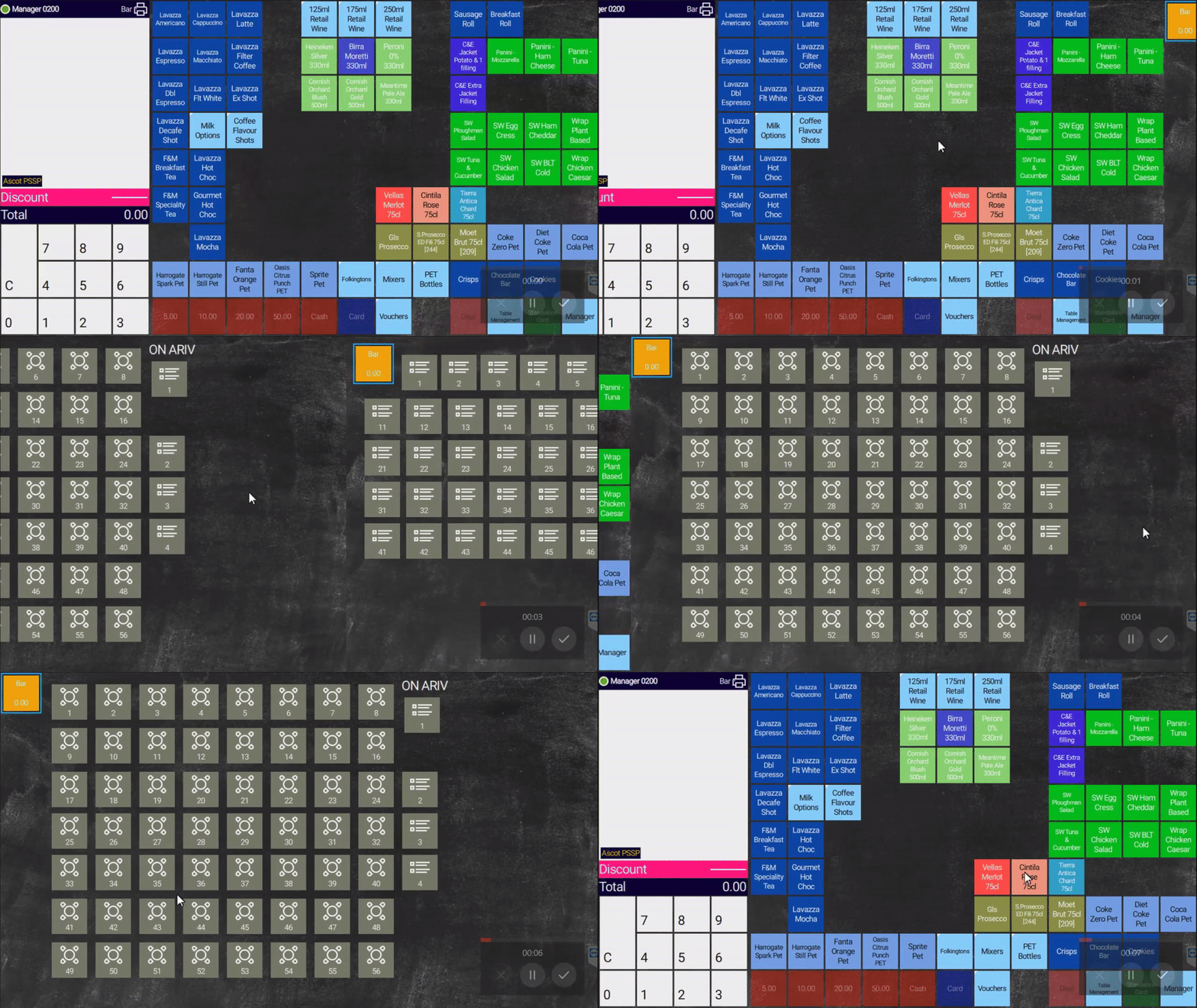
1: Swipe/Drag the sales screen from RIGHT to LEFT2: Table Layout will display if available
Contact EPOS Support on Radio Channel 10
¶ Stock Function is Not Available
Stock Functions are enabled on the 1st terminal on a bar, check all other terminals before contact EPOS Support
Contact EPOS Support on Radio Channel 10
¶ No Power / Display on the Till
1: Ensure all power plugs are correctly plugged into the sockets2: Check you have not had a power cut to the outlet2.1: Contact Control to report the power cut before you contact EPOS3: Press the power button located under the left side of the till
Contact EPOS Support on Radio Channel 10
¶ IPC Error - Displayed
You are unable to fix this.
Contact EPOS Support on Radio Channel 10
¶ Connected Card Terminal Has No Power
1: Check power plugs are correctly plugged into the sockets2: Check the USB connector power cable is connected3: If device boots wait 10 Minutes before attempting transaction (Device has to initialise)
If above has failed
Contact EPOS Support on Radio Channel 10