¶ Closing Session and Declaring Tenders
At the end of every shift, close your session and declare all tenders received on the terminal.
You must close your session at the end of service and declare all tenders received.
Contact EPOS Support on Channel 10 if you are having trouble closing your terminal.
¶ When to do this
- End of shift — after your last sale, when you are ready to close the till
¶ Closing Session Video — Card Transactions Only
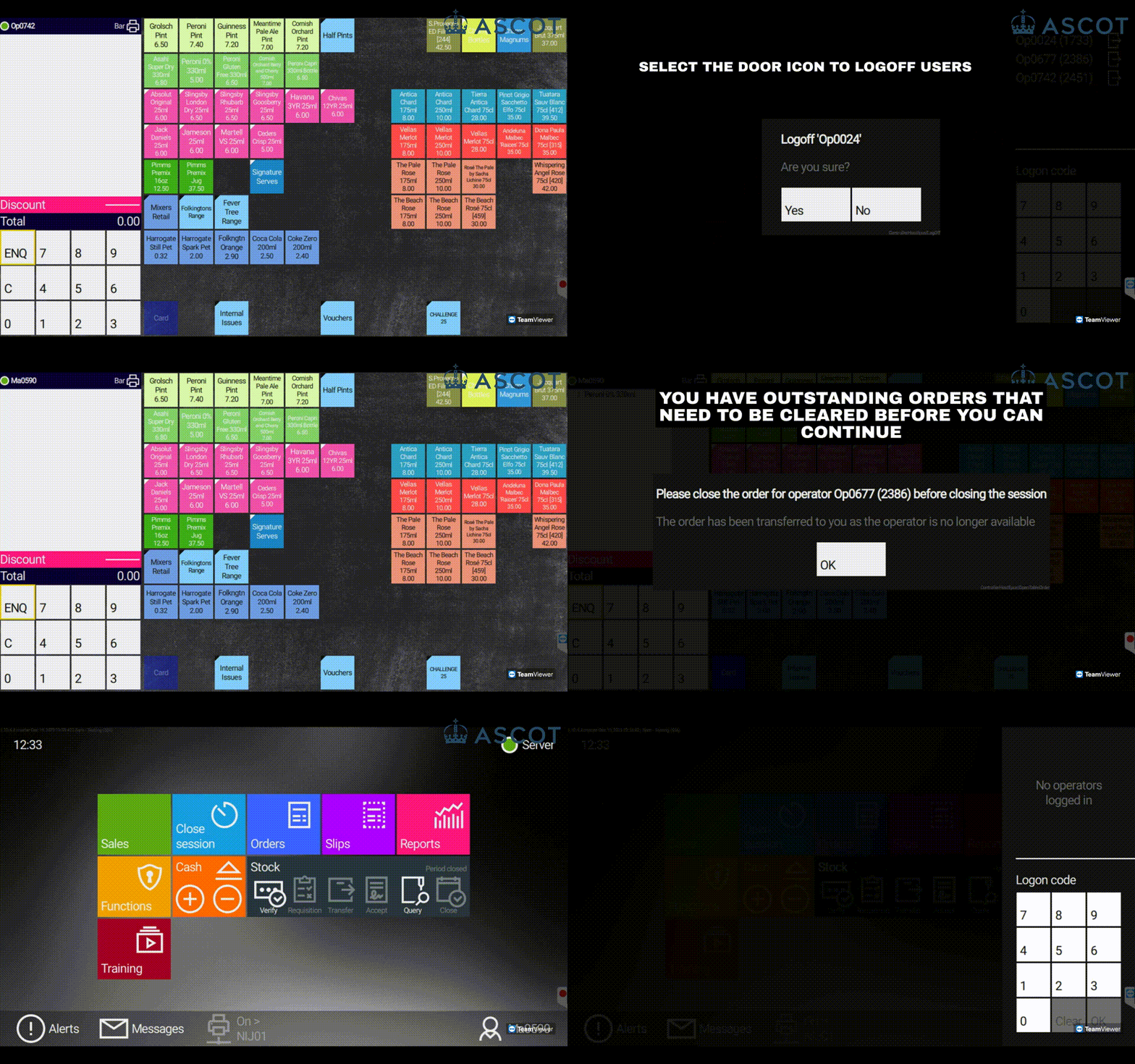
¶ Closing Session — Step by Step
Manager approval required
You will need your manager's approval to close the session on a terminal.
All orders, tables, and tabs must be finalised before you can close the session.
1: Return to the Home Screen by selecting the strip above the basket.

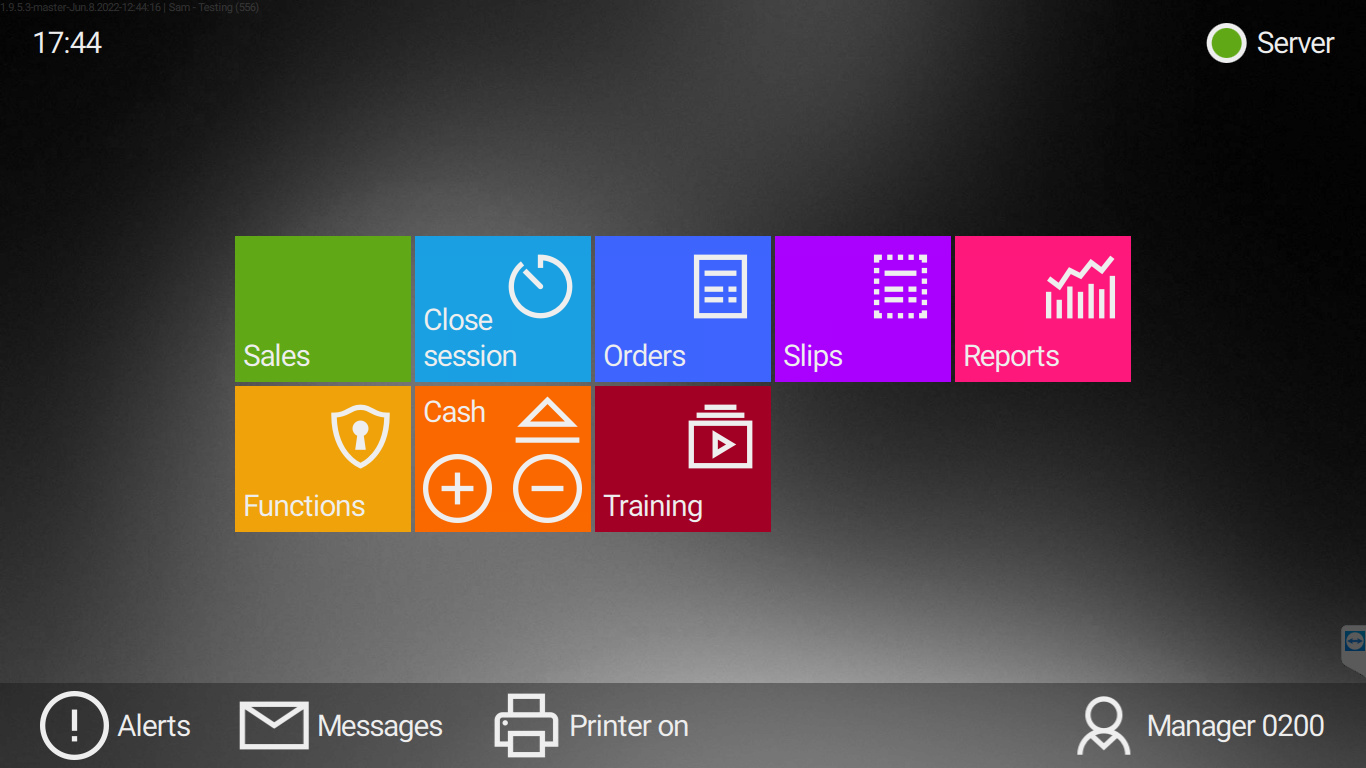
2: Select Reports.
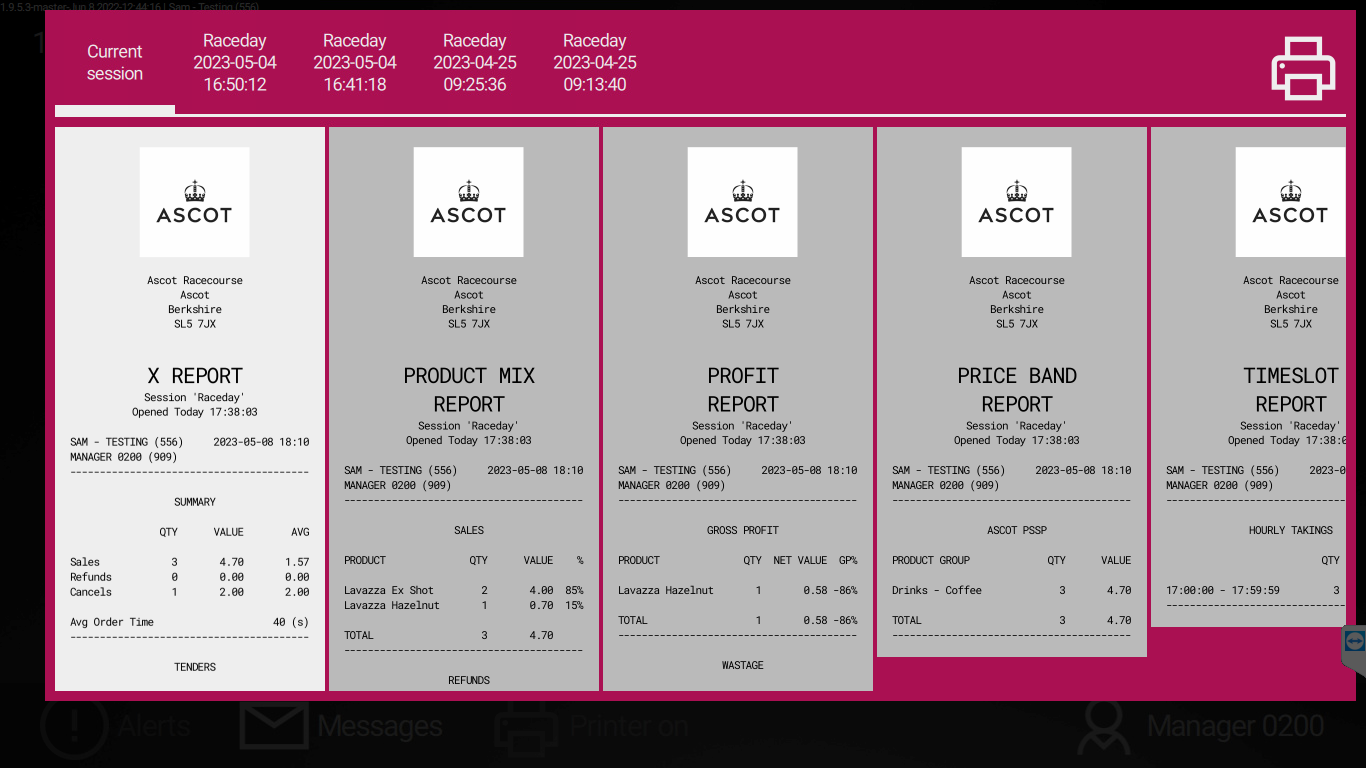
3: Select X Report and print a copy.
4: Press the black strip at the bottom to return to the Home Screen.
5: Select Close Session.
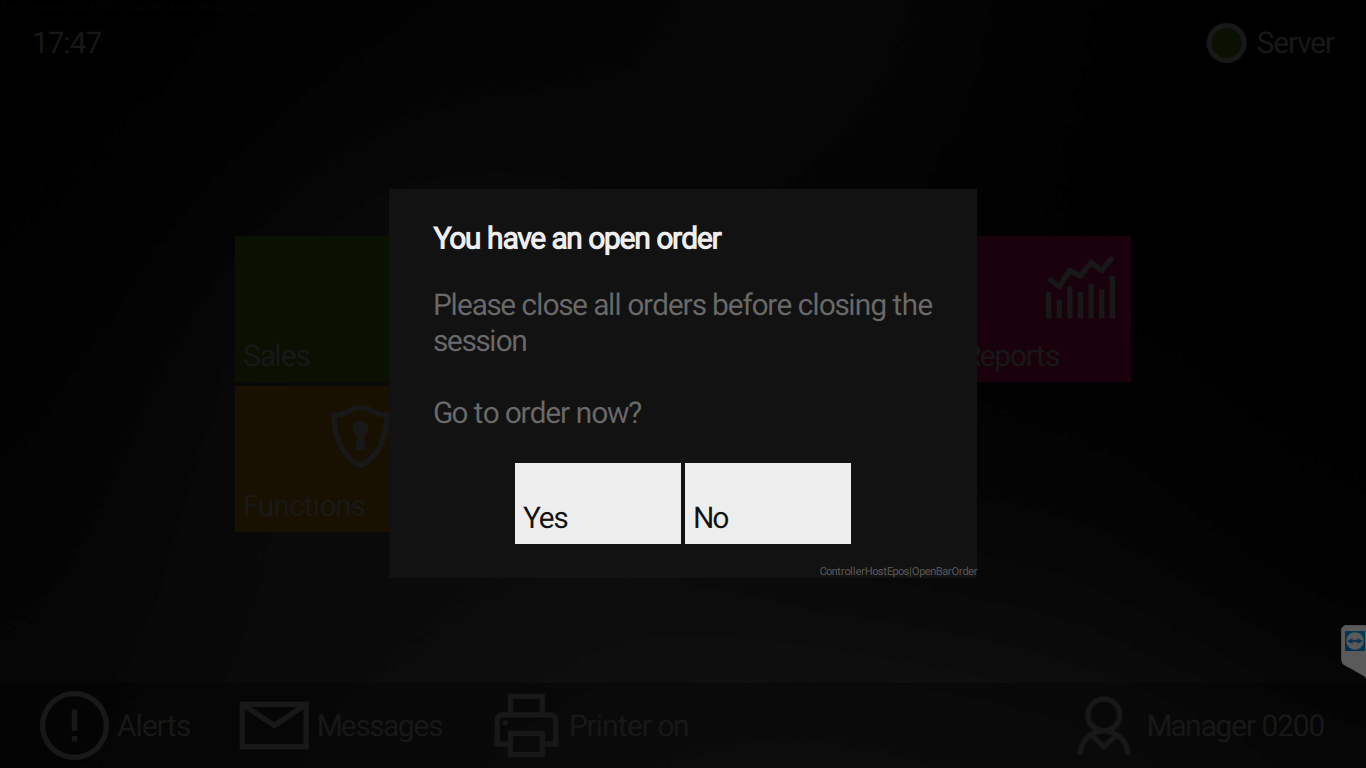
5.1: If you have any open orders, tables, or tabs, the system will notify you and ask you to finalise them.
6: Once all orders have been finalised, re-print the X Report, select Close Session again, and the Declare Tender page will appear.
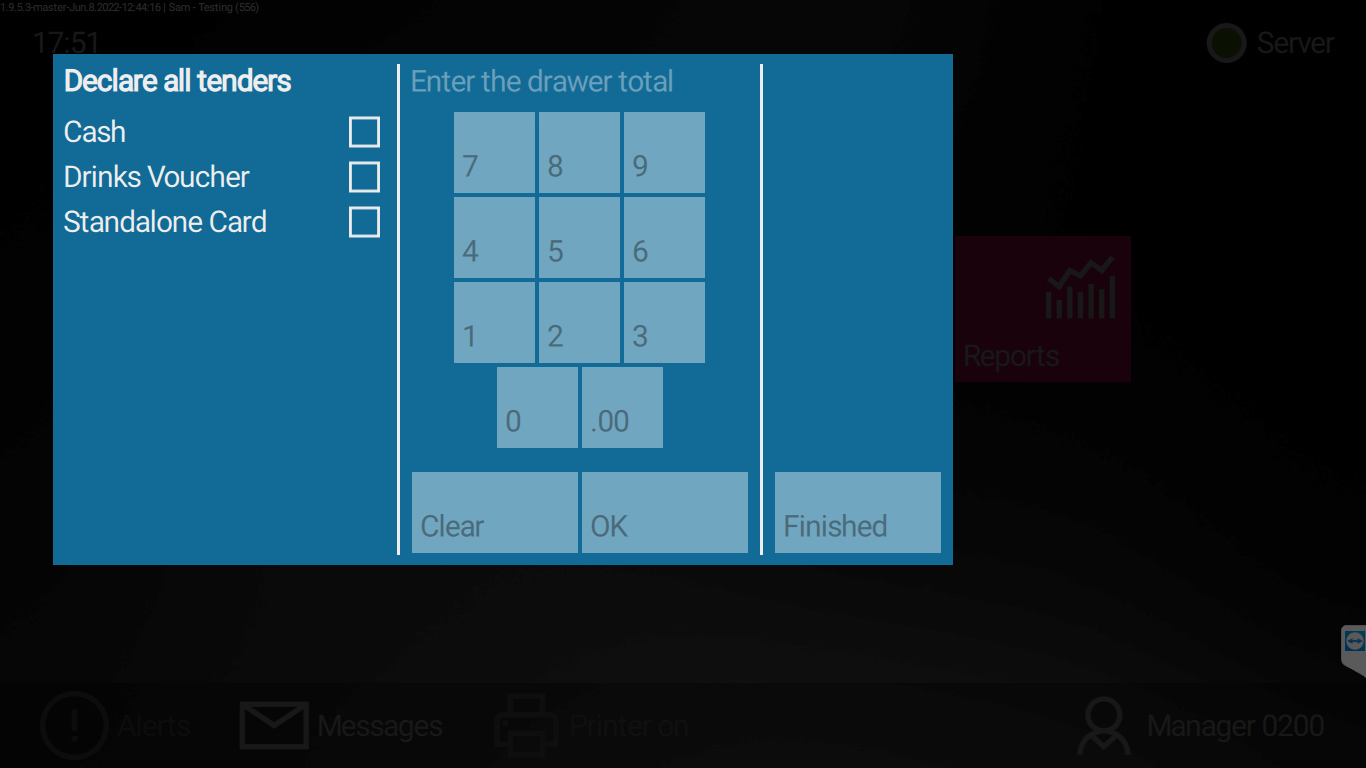
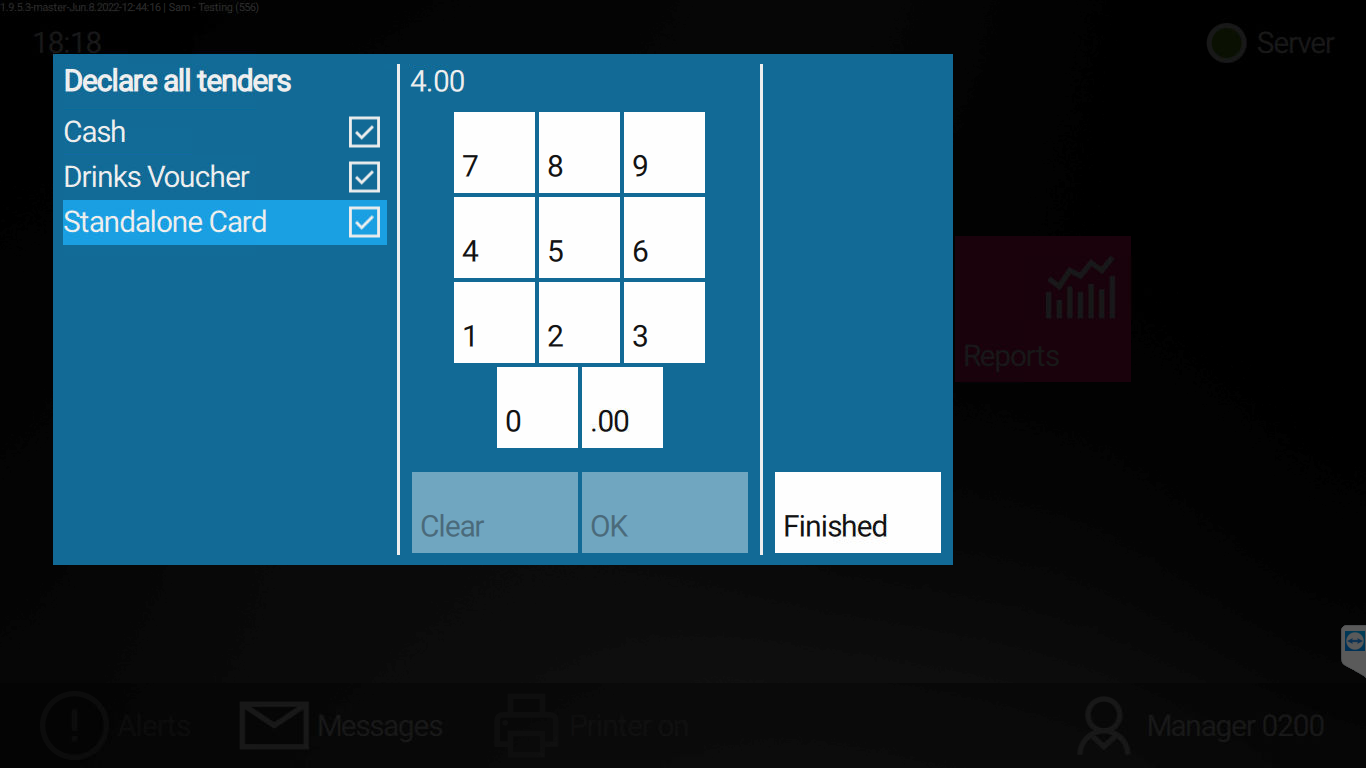
7: On the left, all tenders accepted during service are listed.7.1: Cash — Count your drawer total, enter the amount on the keypad, and press OK.7.2: Drinks Vouchers — Count the total value of drinks vouchers, enter the amount on the keypad, and press OK.7.3: Standalone Card — Generate a Z-Report from your standalone card machine, enter the Grand Total on the keypad, and press OK.7.4: Card — Check the X Report; under Tenders, Card will be listed. Enter that amount on the keypad and press OK.8: Once all tenders have been entered, press Finished to print the Z-Report and close the session.
¶ Troubleshooting
| Problem | What to do |
|---|---|
| Cannot close session | Finalise all open orders, tables, and tabs first |
| Open orders, tables, or tabs message | Return to the floor, close everything, then try again from step 5 |
| Unsure what to declare | Use the printed X Report for card totals; ask your manager if anything is missing |
| Standalone card total does not match | Re-print the Z-Report from the card machine and enter the Grand Total |
| Terminal will not close after declaring | Check all tenders are entered and press Finished; contact EPOS Support on Channel 10 |